

Three months ago, I was drowning in digital chaos. Between work emails, personal reminders, calendar conflicts, and the endless stream of notifications competing for my attention, I felt like I was playing an impossible game of digital whack-a-mole. That’s when I decided to build something I’d been dreaming about for years: a personal AI assistant that could actually manage my entire digital life without sending my data to some corporate server.
I’m not a programmer by trade – I’m a marketing manager who barely remembers basic HTML – but the current AI revolution has made building custom solutions surprisingly accessible. What started as a weekend experiment with some free AI tools has transformed into the most life-changing productivity system I’ve ever used. My digital assistant now handles everything from sorting my emails to planning my weekly meals, and it’s saved me roughly 2 hours per day.
If you’re tired of feeling overwhelmed by digital clutter and want to reclaim control over your online life, building your own AI assistant might be the answer. Here’s exactly how I did it, what worked, what didn’t, and why you don’t need a computer science degree to pull this off.
Why I Chose to Build Instead of Buy

Before diving into my own solution, I spent weeks testing every major AI assistant on the market. Siri felt limited and Apple-locked. Google Assistant knew too much about me for comfort. Alexa wanted to sell me stuff constantly. The newer AI chatbots like ChatGPT were impressive but felt disconnected from my actual digital ecosystem.
The breakthrough moment came when I realized I didn’t need a single, perfect AI system. I needed a customized workflow that could connect different AI tools to handle specific tasks while keeping my data private. Think of it as building a digital assistant team rather than hiring one super-assistant.
Privacy was my biggest concern. I wanted something that could learn my patterns and preferences without sending my personal information to unknown servers. Commercial assistants are incredible, but they’re designed to extract data and drive engagement, not necessarily to make your life genuinely easier.
Cost was another factor. Premium AI assistant subscriptions can easily run $50-100 per month. Building my own system using a modest Raspberry Pi setup and free open-source tools costs me about $15 monthly in cloud services – and I own the entire system.
The customization aspect sealed the deal. I wanted an assistant that understood my specific workflows, my weird scheduling preferences, and my particular way of organizing information. Off-the-shelf solutions force you to adapt to their systems. Building my own meant the system adapted to me.
The Foundation: Choosing Your AI Brain

The heart of any AI assistant is the language model that processes your requests. After extensive testing, I built my system around a combination of local and cloud-based AI models, creating redundancy and keeping sensitive data on my devices.
For privacy-critical tasks, I run a local language model using Ollama on my Mac mini. It’s not as powerful as GPT-4, but it handles routine tasks like email categorization, calendar parsing, and simple reminders without any data leaving my network. The setup took about an hour and runs quietly in the background.
For complex reasoning tasks that require more computational power, I created a secure pipeline to OpenAI’s API with strict data handling rules. I never send personal identifiers or sensitive content – only anonymized task descriptions that get processed and deleted immediately.
The magic happens in the orchestration layer, which I built using Python scripts and a simple automation platform called n8n. This system decides which AI brain handles each request based on privacy requirements and task complexity. Routine questions go to my local model, while complex problem-solving gets routed to the cloud with privacy safeguards.
Voice interaction was surprisingly easy to add using a decent USB microphone and open-source speech recognition software. I can now talk to my assistant naturally, and it responds through my computer speakers or smart home devices.
Email Automation That Actually Works

Email management was the first major problem I tackled, and honestly, it’s been the biggest game-changer. My assistant now processes every incoming email, categorizes it by importance and topic, drafts responses for routine messages, and surfaces only the emails that truly need my attention.
The system connects to my email through secure IMAP access and processes messages using a combination of rules I’ve trained it on. Newsletters get sorted and summarized into a weekly digest. Meeting requests are automatically cross-referenced with my calendar and either accepted, declined, or flagged for manual review based on my availability and priorities.
Vendor emails, receipts, and transactional messages get filed automatically with key information extracted and logged. I never have to manually sort another shipping notification or warranty email. The system even tracks subscription renewals and alerts me before auto-charges hit my credit card.
For responses, the assistant drafts replies in my writing style for common scenarios. I trained it by feeding it examples of my past email responses, and now it can handle simple confirmations, scheduling requests, and routine inquiries. I always review before sending, but 80% of the drafts need minimal editing.
The most impressive feature is intelligent prioritization. The system learns from my behavior – which emails I respond to quickly versus which ones I ignore – and now surfaces truly urgent messages while keeping low-priority stuff out of my immediate view. My daily email processing time went from 90 minutes to about 20 minutes.
Calendar and Task Management Integration
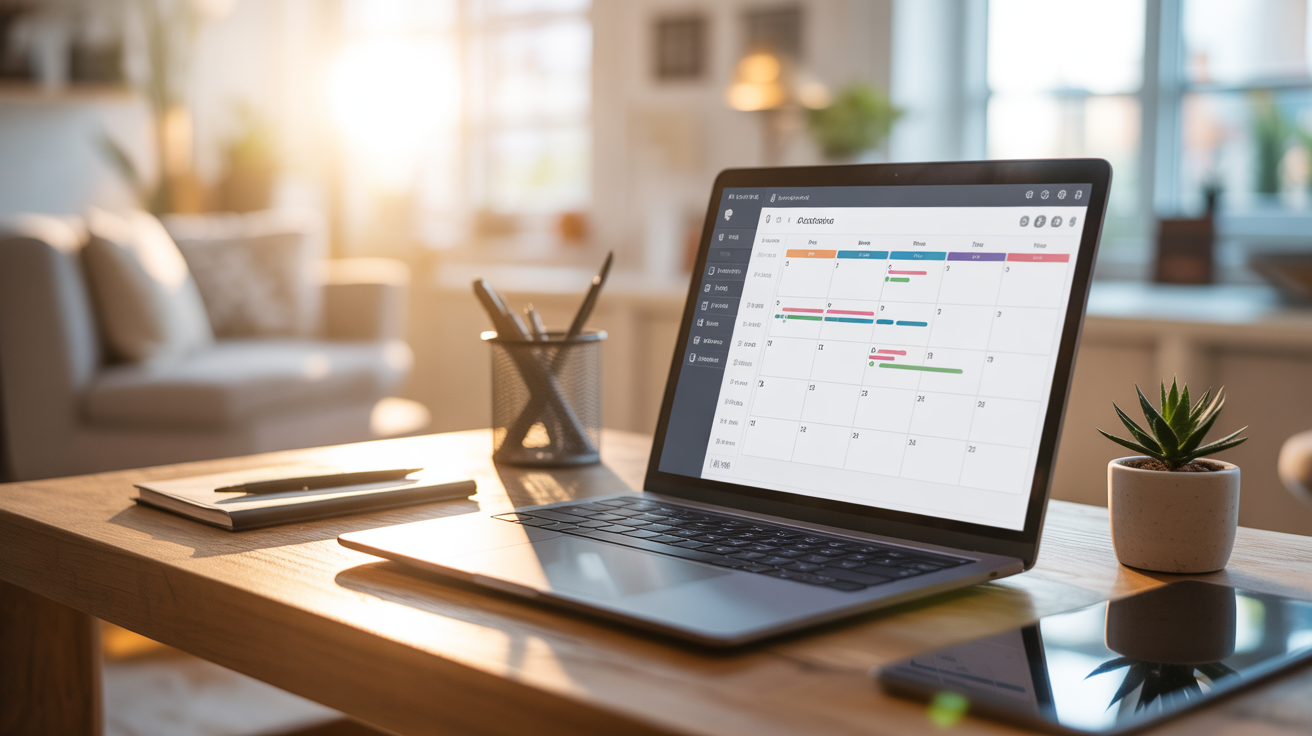
Managing my schedule used to be a constant source of stress. Double-bookings, forgotten appointments, and poor time estimation plagued my daily routine. My AI assistant has transformed calendar management from a chore into something that just happens automatically.
The system integrates with Google Calendar, Apple Calendar, and my task management app simultaneously, creating a unified view of my time and commitments. When someone sends a meeting request, the assistant checks not just my availability, but also factors in travel time, preparation needs, and my energy levels at different times of day.
Smart scheduling has been a revelation. I told my assistant my preferences – no meetings before 10am, avoid back-to-back video calls, block Friday afternoons for deep work – and it enforces these rules automatically. It even suggests optimal meeting times based on the other person’s timezone and my historical productivity patterns.
Task prioritization happens dynamically throughout the day. As new urgent items come in via email or messaging apps, the system reshuffles my task list and suggests schedule adjustments. It considers deadlines, dependencies, estimated effort, and even my mood (tracked through a simple daily check-in) to optimize my daily plan.
The system also learned to be realistic about time estimates. By tracking how long tasks actually take versus my initial estimates, it now automatically adds buffer time and warns me when I’m overcommitting. This alone has eliminated most of my daily schedule stress.
Information Management and Knowledge Base

One of the most powerful features of my AI assistant is how it helps me capture, organize, and retrieve information. I no longer lose important details in the chaos of multiple apps and platforms. Everything flows into a unified knowledge base that I can query conversationally.
The system automatically captures information from my browsing, reading, and work activities. When I research a topic, bookmark an article, or take notes during a meeting, everything gets indexed and tagged intelligently. The AI understands context and connections, so related information surfaces automatically when I need it.
Document management has become effortless. I can ask my assistant to “find that contract from the vendor we discussed last month” and it will locate the file, even if I never explicitly tagged it with those keywords. The system reads document content, email threads, and calendar context to understand what I’m looking for.
Research compilation is where the system really shines. When I’m working on a project, I can ask it to gather all relevant information from my various sources – emails, documents, web bookmarks, notes – and create a comprehensive briefing. It’s like having a research assistant who never forgets anything.
The knowledge base also helps with personal information management. Birthday reminders include gift suggestions based on past purchases and the person’s interests mentioned in our conversations. Travel planning pulls together relevant information from previous trips, flight preferences, and calendar constraints.
Smart Home and Digital Life Integration

The final piece of my AI assistant puzzle was connecting it to all the digital tools and smart devices I use daily. This integration layer turns my assistant from a helpful tool into something that feels like genuine digital intelligence managing my environment.
Smart home integration was easier than expected using Home Assistant as a bridge. My AI assistant can now control lights, temperature, music, and security systems based on my schedule, presence, and preferences. It dims lights automatically when I start a video call and adjusts temperature before I arrive home based on my calendar.
Financial management integration has been surprisingly valuable. The system monitors my spending across multiple accounts and credit cards, categorizes transactions, and alerts me to unusual patterns. It also tracks subscription services and suggests cancellations for services I’m not using actively.
Social media management happens automatically in the background. The assistant monitors mentions, filters important messages from noise, and even suggests responses for professional inquiries. I spend zero time manually checking multiple platforms while still staying responsive to important communications.
Health and fitness tracking integration creates a holistic picture of my wellbeing. The system correlates my sleep data, exercise metrics, and calendar stress with my mood and productivity patterns. It suggests schedule adjustments when it detects that I’m overcommitted or need recovery time.
The most impressive integration is with my learning and development goals. The system tracks my reading, course progress, and skill-building activities, then suggests relevant content and schedules practice time based on my learning objectives and available time slots.
The Results: Life After Digital Chaos

After three months of living with my custom AI assistant, the transformation has been more profound than I expected. The obvious benefits – saved time, reduced stress, better organization – are just the beginning of what’s possible when you have genuinely intelligent automation managing your digital life.
The time savings are measurable and substantial. I’m saving approximately 2 hours per day on routine digital tasks – email management, calendar coordination, information lookup, and basic planning activities. That’s 10 hours per week I’ve reclaimed for creative work, family time, and actual relaxation.
But the psychological benefits might be even more significant. The constant background anxiety of potentially missing something important has completely disappeared. I trust my system to surface urgent items and handle routine tasks without my oversight. This mental clarity has improved my focus and decision-making in ways I didn’t anticipate.
The system has also made me more reliable and responsive to others. Automated email responses, intelligent scheduling, and proactive communication mean I rarely keep people waiting or miss commitments. This has improved both my professional relationships and personal connections.
Privacy and data ownership feel secure in ways that commercial assistants never could. I know exactly where my information lives, how it’s processed, and who has access. The system works for me, not for an advertising algorithm trying to predict my purchasing behavior.
Perhaps most importantly, the system continues to improve as it learns my patterns and preferences. Unlike static commercial tools, my assistant evolves with my changing needs and gets more useful over time. I’m not locked into someone else’s vision of how AI should work – I’m building exactly the digital life management system I want.
For anyone feeling overwhelmed by digital complexity, building a custom AI assistant isn’t just possible – it’s become essential. The tools are accessible, the benefits are transformative, and the satisfaction of owning your digital life is worth every hour invested in building it.






Leave a Reply